Build Expert Advisors Visually
1. The Idea: Why We Created Chart EA Builder
Every trader, regardless of their experience level, eventually reaches a crucial turning point in their career: the desire to automate their trading strategy. The benefits of transitioning from manual trading to algorithmic trading are undeniable. Automated trading provides emotionless execution, round-the-clock market monitoring, and strict risk management.
However, the bridge between a profitable manual strategy and a fully functional Expert Advisor (EA) is often broken. Typically, a trader faces one of the following frustrating paths:
- The Steep Learning Curve of MQL5: Learning to program from scratch is a highly daunting task requiring months of dedication.
- The Freelancer Trap: Hiring programmers is expensive, time-consuming, and often requires endless, costly revisions.
- The AI Illusion: AI tools can generate scripts, but they are not foolproof and still require programming knowledge to debug safely.
- The Rigidity of Web-Based Builders: Many online builders are clunky, require expensive monthly subscriptions, and lack flexibility.
To solve these problems, we createdChart EA Builder—a single, unified Expert Advisor that sits directly on your MetaTrader 5 chart. You never have to leave the platform or touch a single line of code.
2. The Guide: How It Works (Tab by Tab)
The Chart EA Builder interface is divided into 7 main tabs. We designed the workflow to be intuitive, allowing you to move from left to right as you construct your system.
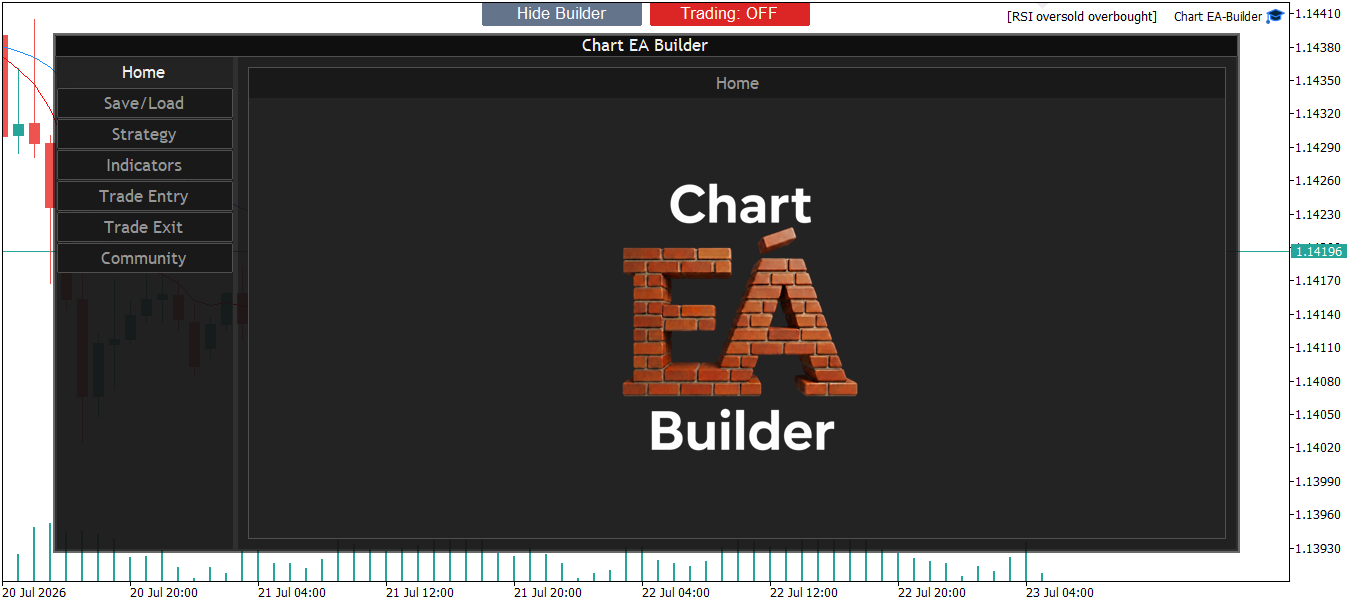
Tab 1: Home
Tab 2: Save/Load
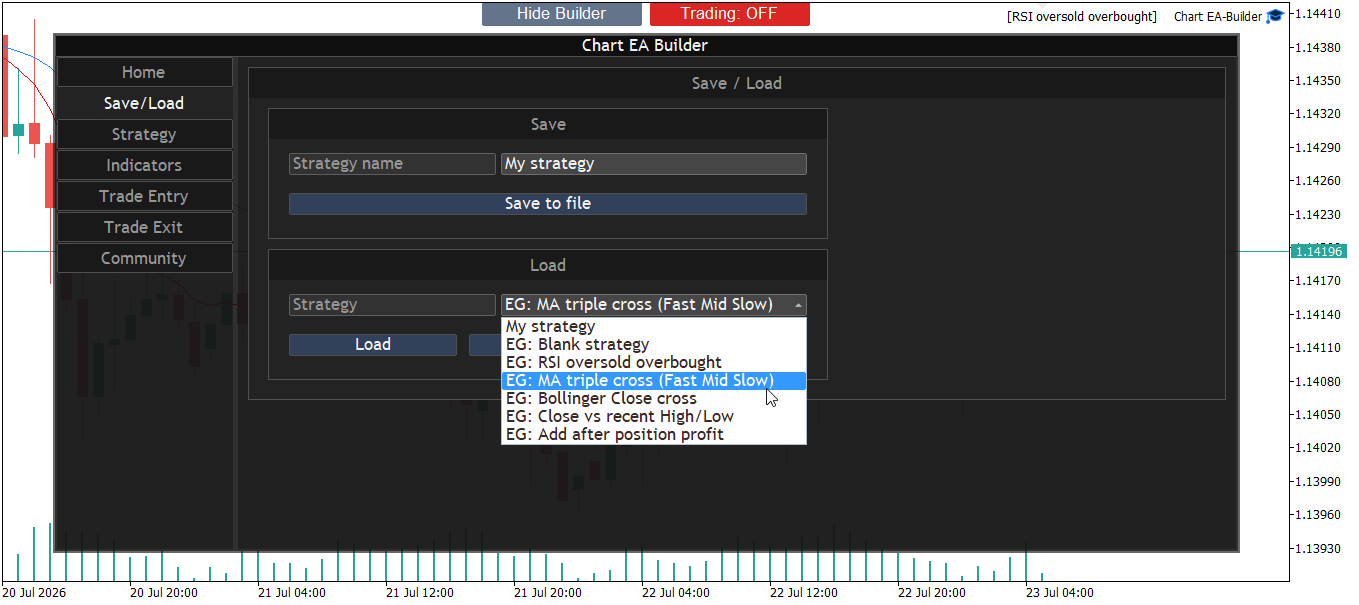
Manage all your strategies natively without downloading files. Save your current logic as a lightweight preset, and load it instantly with a single click. You can switch between strategies dynamically from the chart window.
Tab 3: Strategy
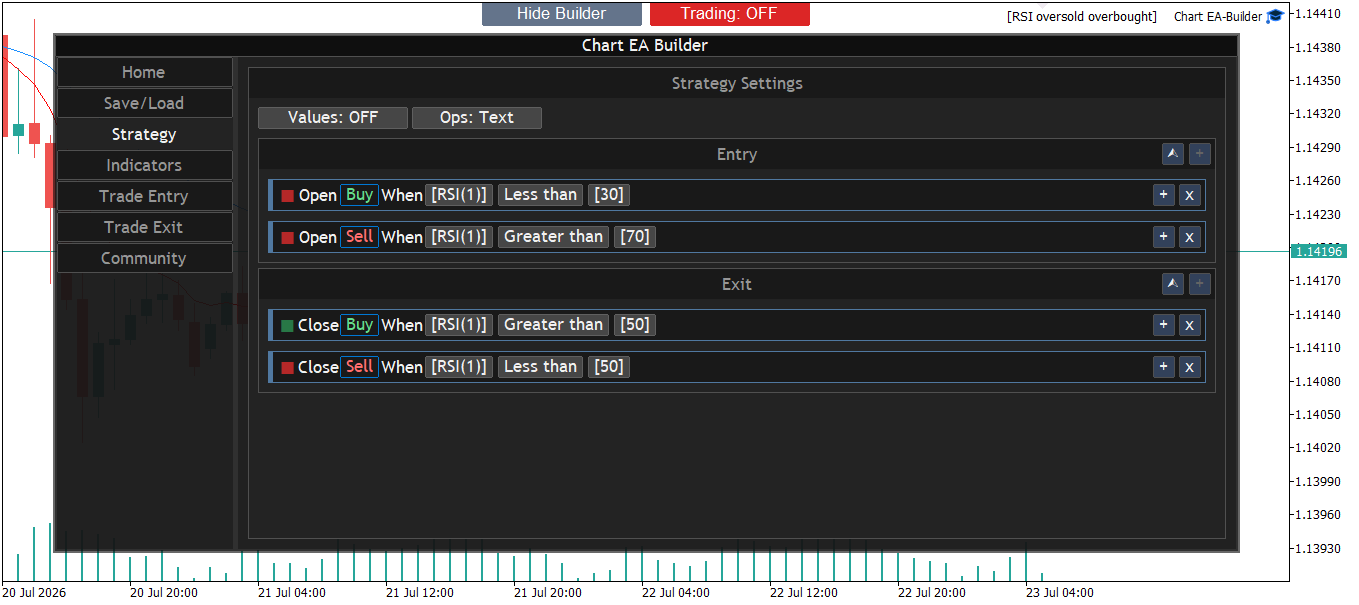
This is the beating heart of your Expert Advisor. Construct your core entry and exit logic using dynamic "Expression Popups". Instead of code, you build rules that read like simple sentences (e.g.,[Open] [Buy] when [RSI(1)] > [30]).
Tab 4: Indicators
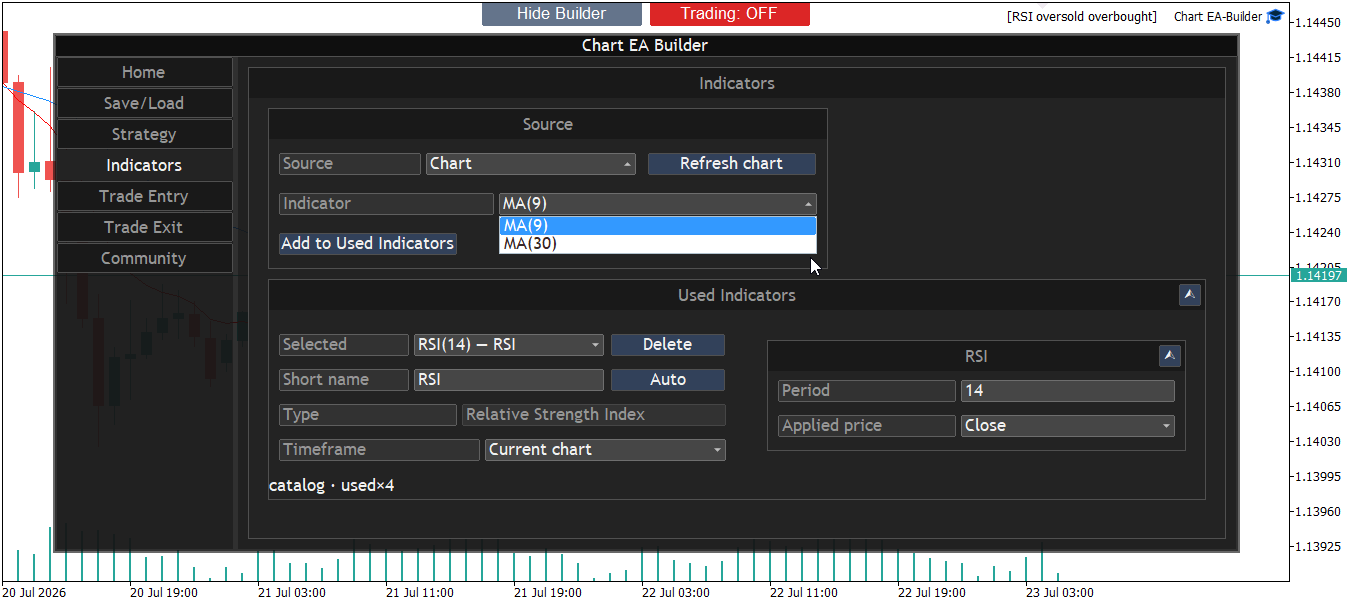
Define the technical indicators your strategy will use. Select standard MT5 indicators or custom indicators directly from the chart. You can visually configure the timeframe, period, shift, and applied price here to feed data into your Strategy tab.
Tab 5: Trade Entry
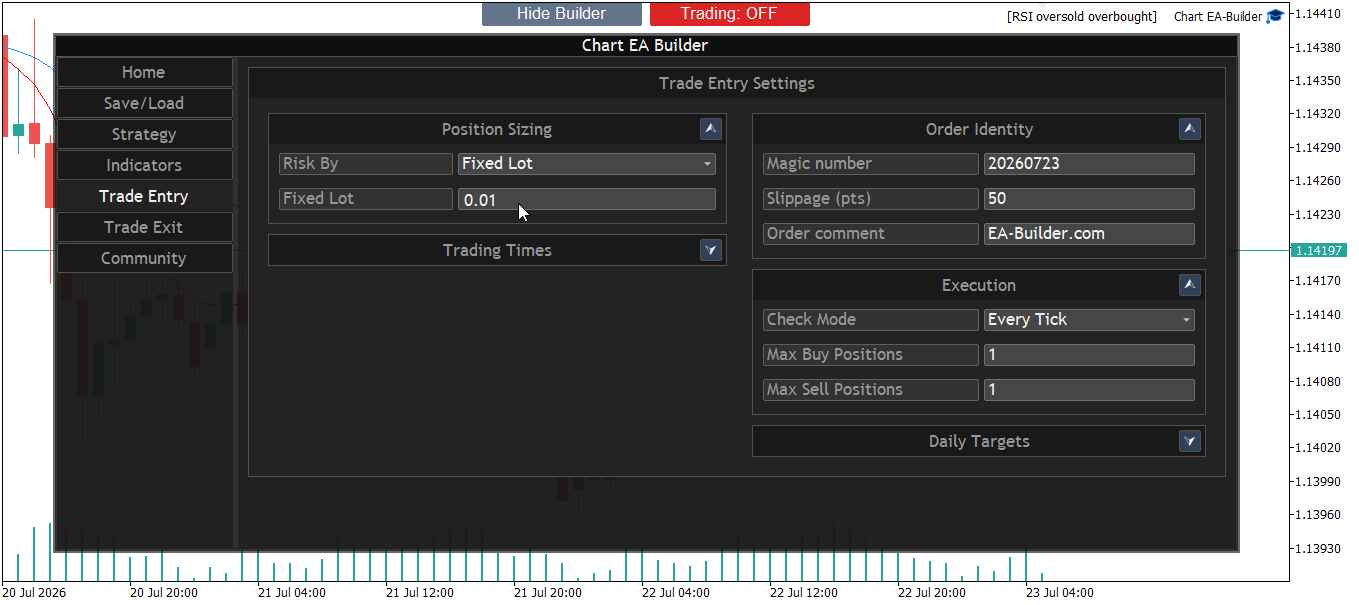
Configure exactly how your trades open. Control your risk and money management seamlessly by setting your lot sizing methodology (fixed lot, percentage of equity, etc.), maximum open positions, and daily trading limits.
Tab 6: Trade Exit
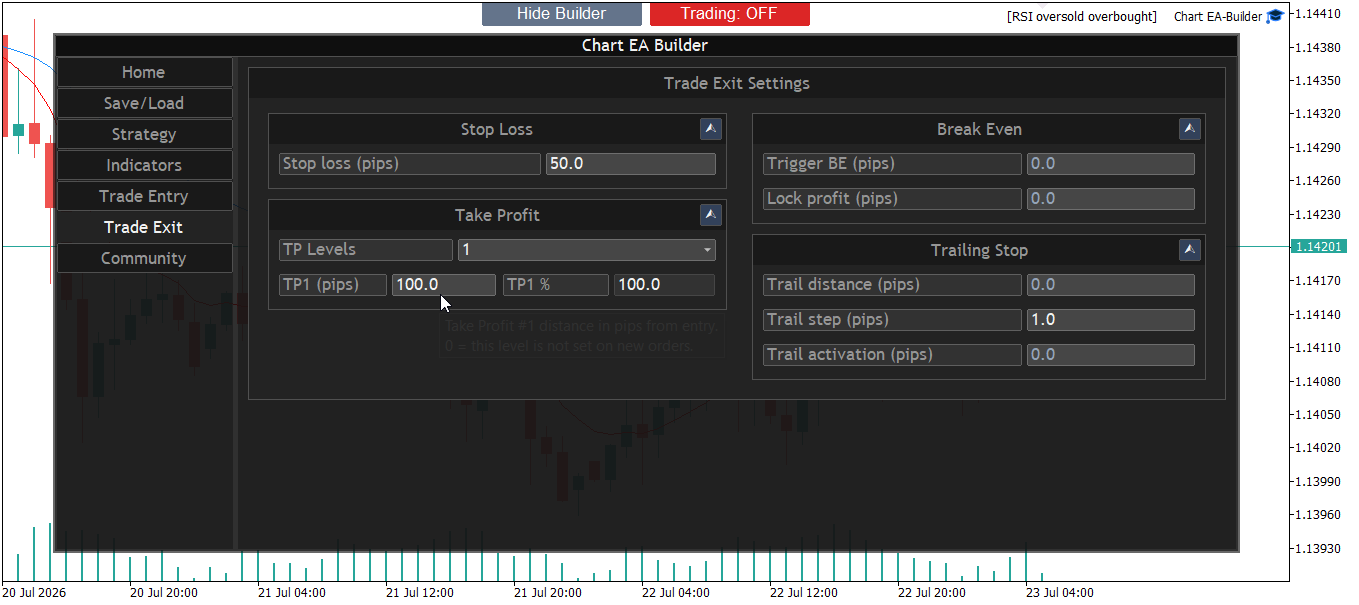
Protect your capital. Manage your dynamic take profit levels, advanced stop loss settings, trailing stops, and breakeven functions all from this clean visual environment.
Tab 7: Community
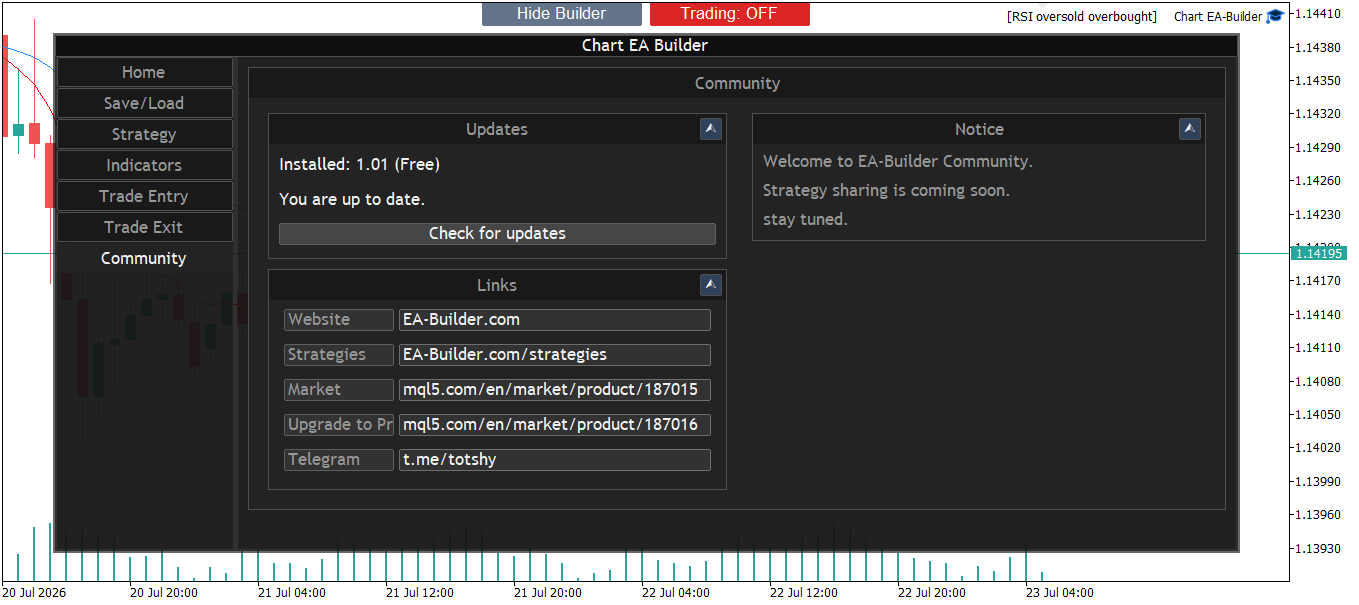
Connect with other traders. A dedicated space inside the tool to share your profitable setups, browse community ideas, and load them instantly into your own chart ecosystem.
3. Frequently Asked Questions (FAQ)
Does it work on MT4?
Currently, Chart EA Builder is only available for MetaTrader 5 (MT5). An MT4 version is in development and will be coming soon.
Do I need to keep the chart open?
Yes, because Chart EA Builder operates directly on the chart, the terminal and the chart must remain open for the EA to execute trades continuously. We recommend using a VPS.
Can I try it before buying?
Yes. Download the demo trial and run it on a demo-account chart. On a live account the builder stays open, but opening, modifying, and closing trades stays off. The Strategy Tester does not show the full visual builder.
Where do I buy the full product?
One product is on the MQL5 Market. It includes the money-management methods, up to 5 Take Profit levels, and strategies with many indicators and conditions. Download the trial or open the Market page.
4. Support & Contact
We are constantly improving Chart EA Builder and your feedback is vital. If you encounter bugs, have feature requests, or need help building a specific logic, please reach out to us directly.